Your Memories. Your Legacy.
Every moment,
forever.
MEMORA is a private, secure home for your photographs, videos and family memories — beautifully organised, protected by independent backups, and shared only with the people you choose.
No credit card required · Get the phone app
Family · Summer
248 photos · 31 videos
Why MEMORA
The photos on your phone are your family's story. They deserve more than a camera roll.
Phones get lost, drives fail and social networks change their rules. MEMORA gives your memories one calm, permanent place — kept in original quality and arranged the way you remember them.
How it works
Four simple steps to preserve a lifetime
- 01
Upload
Drag in photos, videos and documents from any device. Large files upload in resumable parts.
- 02
Organise
Albums, folders, tags and a timeline built from the date each memory was captured.
- 03
Share
Invite family or send a private link — with expiry, passwords and download control.
- 04
Preserve
Originals are kept untouched and copied to an independent backup, checked regularly.
The MEMORA app
Carry your family’s story in your pocket.
Install MEMORA on your phone in a few seconds. Take a photo, tap Share, and it is safely home.
- Share photos straight from your Android gallery
- Full screen, with its own icon
- Updates itself, takes almost no space
- Works on Android, iPhone and computers
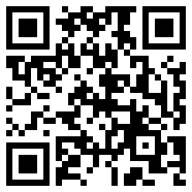
Photo & video gallery
Relive the years, not scroll through files.
Browse by year and month, open a full-screen viewer, play videos instantly, and rediscover what happened on this day in years past.
- Grid, masonry and list views
- Timeline & memory calendar
- “On this day” reminders
- Search by date, album and tag
Rahman family
- OwnerCan manage everything
- AdministratorInvite members, manage albums
- MemberView, upload & download
- ViewerView only
Family memories
One family archive. Everyone's stories.
Create a family space, invite parents, siblings and children, and build shared albums together. You decide who can view, upload, edit, delete, download or share — and your private library stays private.
Security & privacy
Built to protect what cannot be replaced
Privacy is not a setting in MEMORA — it is the starting point.
Private by default
Nothing is public. Every file, thumbnail and video stream is checked against your permissions.
Strong account protection
Two-factor authentication, device management and alerts for new sign-ins.
Independent backups
A second copy with a separate provider, plus checksum verification and tested restores.
Links you control
Expiring, password-protected share links you can revoke at any moment.
Plans
Start free. Grow when your memories do.
Every plan includes private storage, albums, timeline and secure sharing.
Prices include all features of the plan. Upgrade, downgrade or cancel at any time.
Our promise
What we believe about your memories
“Our memories are not content. They are our history.”
“Sharing with family should not mean sharing everything.”
“You should always be able to leave with your memories.”
Questions
Frequently asked
Who can see my photos and videos?
Only you — unless you choose to share. Everything you upload is private by default. Family members only see albums you deliberately place in a family space, and share links work only for the people and the time period you set.
Can MEMORA staff look at my memories?
No. Our administrators manage accounts, billing and infrastructure, but they do not have access to customer media by default. Any exceptional access (for example, a data-recovery request you open) requires a documented reason and is recorded in an audit log.
Do you keep my original files?
Yes. We store your originals exactly as uploaded, with their original metadata. Smaller previews are generated separately for fast browsing — your originals are never compressed or replaced.
How are my memories backed up?
Each original is copied to an independent storage provider and checked regularly against its checksum. Database backups are kept separately from media backups, and restore procedures are tested on a schedule. No service can promise zero risk, but multiple verified copies make loss far less likely.
What happens if I delete something by mistake?
Deleted items go to Trash first and can be restored for 30 days. After that they are permanently removed according to our data retention policy.
Give your memories a home that lasts.
Start with 5 GB free. Upgrade whenever you need more space.